Flexible Layout Management for React Apps
Create dynamic, customizable, and pluggable layouts for your React applications with ease. Perfect for apps that need flexible layouts and component composition.

Key Features
Pluggable System
Easily add, remove, or replace components in your layout without changing the core structure.
Dynamic Layouts
Create different layouts for different sections of your app or based on user preferences.
Responsive Design
Built with responsiveness in mind - adapt layouts for mobile, tablet, and desktop views.
Modular Architecture
Compose complex layouts from simple, reusable building blocks and components.
Extensible
Easily extend functionality with plugins and custom components to fit your project needs.
Developer Friendly
Intuitive API with TypeScript support and comprehensive documentation for developers.
Installation
Install the package
npm install react-pluggable-layoutsOr with yarn:
yarn add react-pluggable-layoutsImport in your project
import { LayoutProvider, Slot, useLayout } from 'react-pluggable-layouts';Set up the Provider
function App() {
  return (
    <LayoutProvider>
      <YourAppComponents />
    </LayoutProvider>
  );
}How to Use
// Define your layout
const MainLayout = () => {
  return (
    <div className="main-layout">
      <header>
        <Slot name="header" fallback={<DefaultHeader />} />
      </header>

      <div className="content">
        <aside>
          <Slot name="sidebar" fallback={<DefaultSidebar />} />
        </aside>

        <main>
          <Slot name="content" />
        </main>
      </div>

      <footer>
        <Slot name="footer" fallback={<DefaultFooter />} />
      </footer>
    </div>
  );
};// Advanced: Using dynamic layout switching
import { useLayout } from 'react-pluggable-layouts';
const MyApp = () => {
const { switchLayout, registerComponent } = useLayout();
// Register components for slots
useEffect(() => {
registerComponent('header', <CustomHeader />);
registerComponent('sidebar', <CustomSidebar />);
registerComponent('content', <DashboardContent />);
}, []);
const switchToDashboard = () => {
switchLayout('dashboard');
registerComponent('content', <DashboardContent />);
};
const switchToSettings = () => {
switchLayout('settings');
registerComponent('content', <SettingsContent />);
registerComponent('sidebar', <SettingsSidebar />);
};
return (
<div>
<button onClick={switchToDashboard}>Dashboard</button>
<button onClick={switchToSettings}>Settings</button>
{/* Layout will render here */}
</div>
);
};// Creating custom layouts with different configurations
import { registerLayout } from 'react-pluggable-layouts';
// Register multiple layouts
useEffect(() => {
// Standard layout
registerLayout('standard', <MainLayout />);
// Compact layout (no sidebar)
registerLayout('compact', <CompactLayout />);
// Fullscreen layout (for immersive views)
registerLayout('fullscreen', <FullscreenLayout />);
// Print layout (optimized for printing)
registerLayout('print', <PrintLayout />);
}, []);
// Custom layout with specific props
const CompactLayout = () => (
<div className="compact-layout">
<header>
<Slot name="header" fallback={<MinimalHeader />} />
</header>
<main className="compact-content">
<Slot name="content" />
</main>
<footer>
<Slot name="footer" fallback={<MinimalFooter />} />
</footer>
</div>
);Example Layouts

Dashboard Layout
Perfect for admin panels and data-heavy applications with sidebar navigation, header, and multiple content sections.
View Example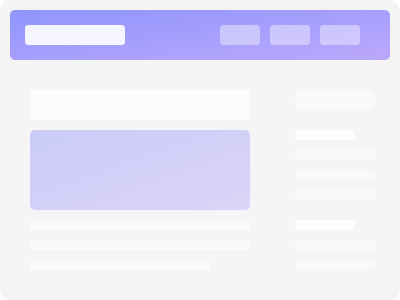
Blog Layout
Clean layout for content-focused sites with header, customizable sidebar, and optimized reading experience.
View Example
E-commerce Layout
Product-focused layout with category navigation, product grid, filtering options, and cart integration.
View ExampleFrequently Asked Questions
How does this differ from React Router?
While React Router handles navigation between routes, React Pluggable Layouts focuses on layout composition and component placement within those routes. They work great together!
Can I use this with Next.js?
Yes! React Pluggable Layouts works with any React-based framework including Next.js, Gatsby, Create React App, and Vite projects.
Is it TypeScript compatible?
Absolutely! The library is written in TypeScript and provides comprehensive type definitions for a great developer experience.
Does it affect performance?
The library is designed to be lightweight and optimized for performance. It uses React's context API efficiently with minimal overhead.
Can I nest layouts?
Yes, you can create nested layouts by placing Slot components within other components that are registered to slots.
Is server-side rendering supported?
Yes, the library fully supports server-side rendering with Next.js and similar frameworks.
Ready to build flexible React layouts?
Start creating dynamic and modular interfaces with React Pluggable Layouts today.